> ## Documentation Index
> Fetch the complete documentation index at: https://docs.commert.com/llms.txt
> Use this file to discover all available pages before exploring further.
# Orders Overview in Commert Admin
The Orders domain is where you'll manage all the orders in your store coming through different channels. You can view an order’s information, capture payment, create shipments and fulfillments, register returns or exchanges of the order, and more.
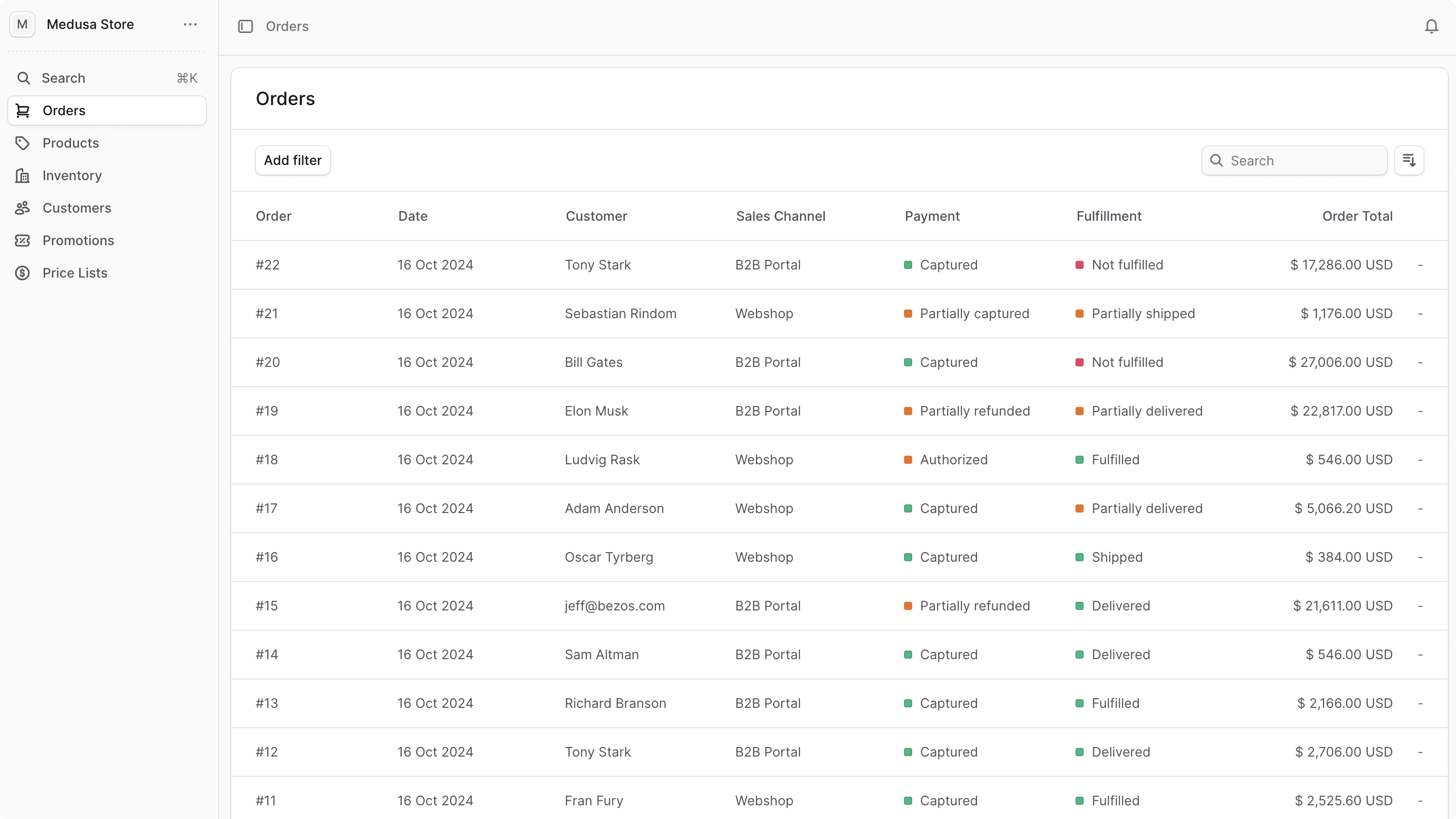 You can view the list of available orders in your commerce store by clicking on Orders from the sidebar menu.
In the list, you can see order details such as the ID, date, customer, sales channel, and fulfillment and payment status. You can also search, filter, and sort the orders to find the specific order you are looking for.
Find tips to use lists effectively in [this guide](../tips/lists).
***
## Manage Orders
* [Manage Order Details](./orders/manage)
* [Manage Order’s Payment](./orders/payments)
* [Manage Order’s Fulfillment](./orders/fulfillments)
* [Edit Order Items](./orders/edit)
* [Manage Order Returns](./orders/returns)
* [Manage Order Claims](./orders/claims)
* [Manage Order Exchanges](./orders/exchanges)
You can view the list of available orders in your commerce store by clicking on Orders from the sidebar menu.
In the list, you can see order details such as the ID, date, customer, sales channel, and fulfillment and payment status. You can also search, filter, and sort the orders to find the specific order you are looking for.
Find tips to use lists effectively in [this guide](../tips/lists).
***
## Manage Orders
* [Manage Order Details](./orders/manage)
* [Manage Order’s Payment](./orders/payments)
* [Manage Order’s Fulfillment](./orders/fulfillments)
* [Edit Order Items](./orders/edit)
* [Manage Order Returns](./orders/returns)
* [Manage Order Claims](./orders/claims)
* [Manage Order Exchanges](./orders/exchanges)