> ## Documentation Index
> Fetch the complete documentation index at: https://docs.commert.com/llms.txt
> Use this file to discover all available pages before exploring further.
# Create Multi-Part Product in Commert Admin
In this guide, you'll learn how to create a product whose variants are made up of multiple inventory parts.
## Multi-Part Products with Inventory Kits
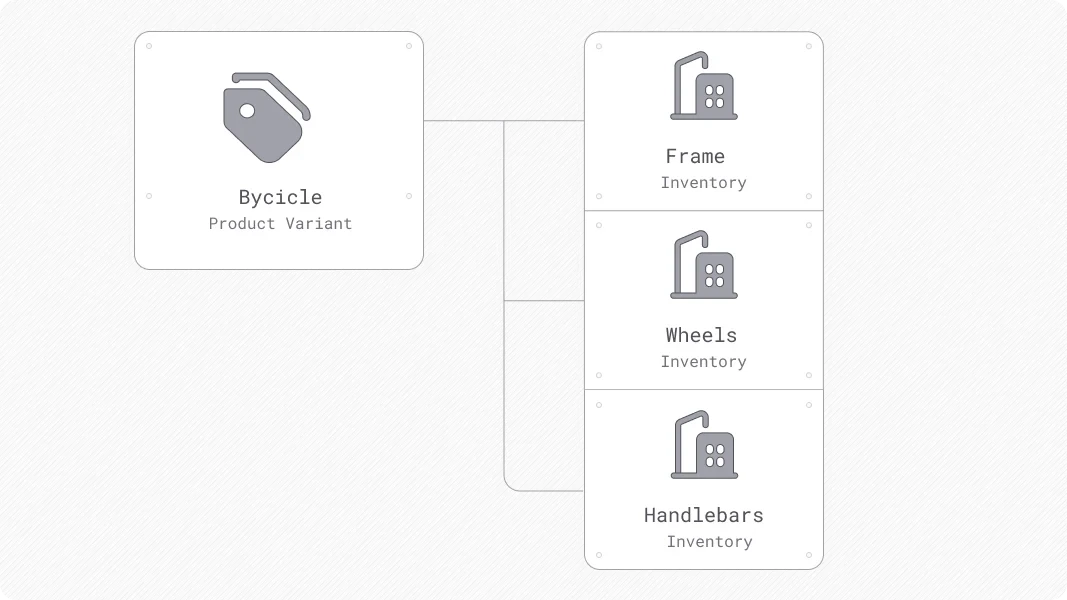
Consider a bicycle that consists of a frame, wheels, and handlebars. Each of these parts is an inventory item that makes up the bicycle. When you create a product with multi-part variants, you're creating a product that consists of multiple inventory items.
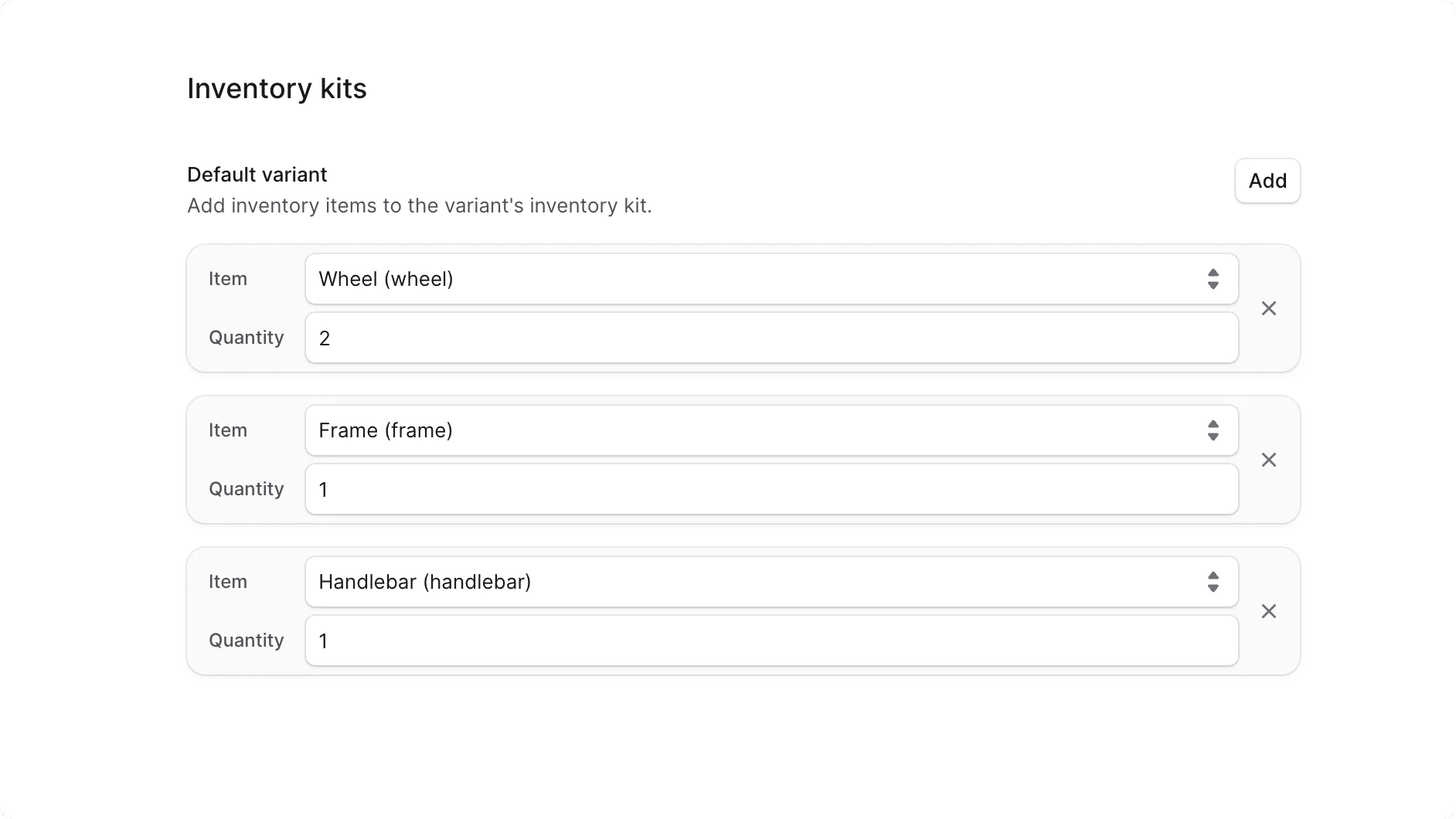
Commert supports variants with inventory kits, which is a collection of inventory items that make up the variant's part. In addition, the variant can require a specific quantity of each inventory item to be available in stock.
For example, a bicycle product variant needs two wheels, one frame, and one handlebar to be available in stock. If any of these inventory items are out of stock, the variant is not purchasable. Also, when the variant is purchased, the inventory items are automatically deducted from the stock based on the required quantity.
 ***
## How to Create a Multi-Part Product
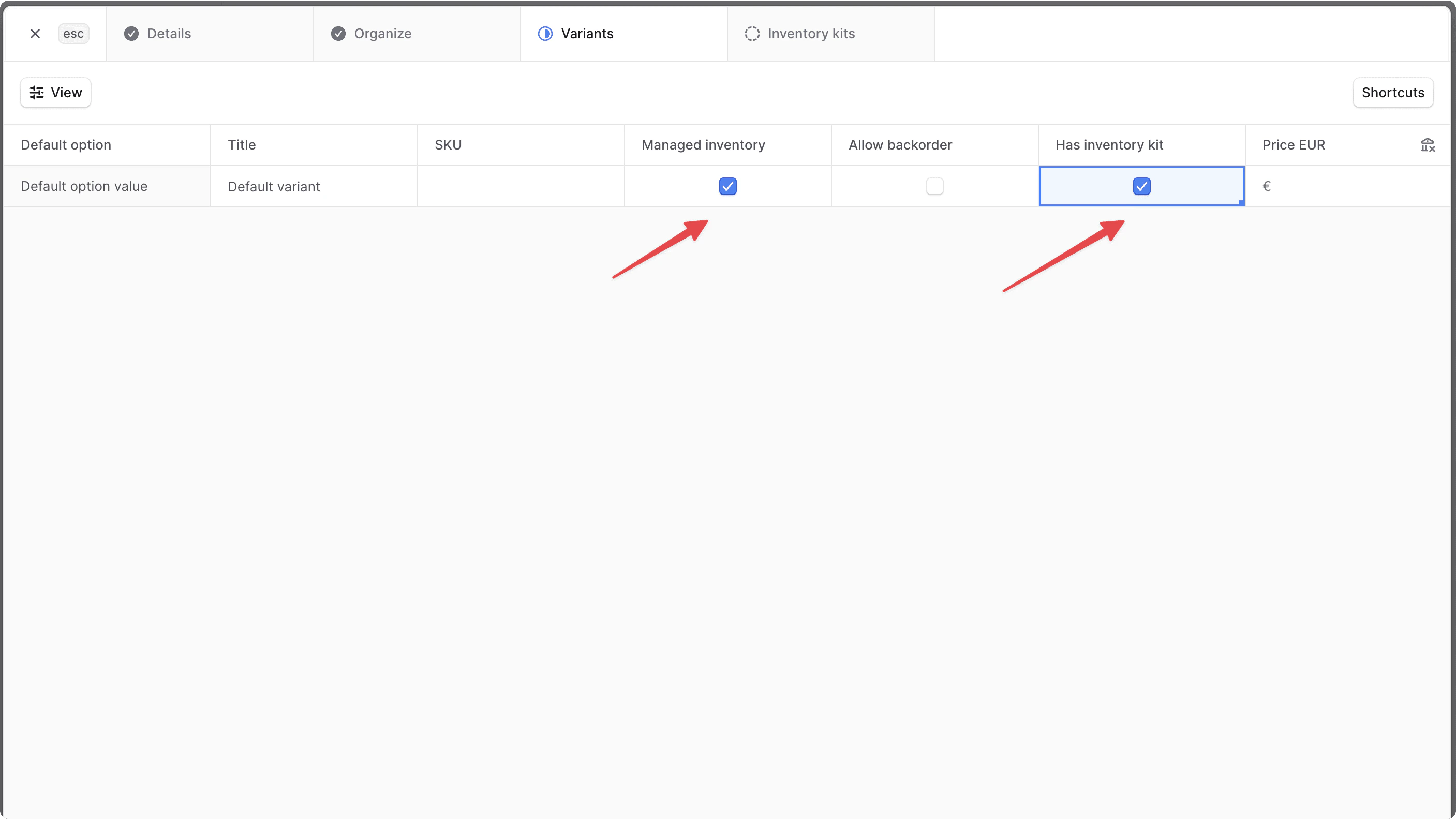
You create a product with multi-part variants as explained in the [Create Product](/products/create) guide. For the variants with multi-parts, you enable the "Has inventory kit" toggle in the "Variants" step.
***
## How to Create a Multi-Part Product
You create a product with multi-part variants as explained in the [Create Product](/products/create) guide. For the variants with multi-parts, you enable the "Has inventory kit" toggle in the "Variants" step.
 This opens a new step in the product-creation form, where you can add inventory items that make up the variant. For each inventory item, you can specify the quantity required for the variant to be purchasable.