> ## Documentation Index
> Fetch the complete documentation index at: https://docs.commert.com/llms.txt
> Use this file to discover all available pages before exploring further.
# Settings in Commert Admin
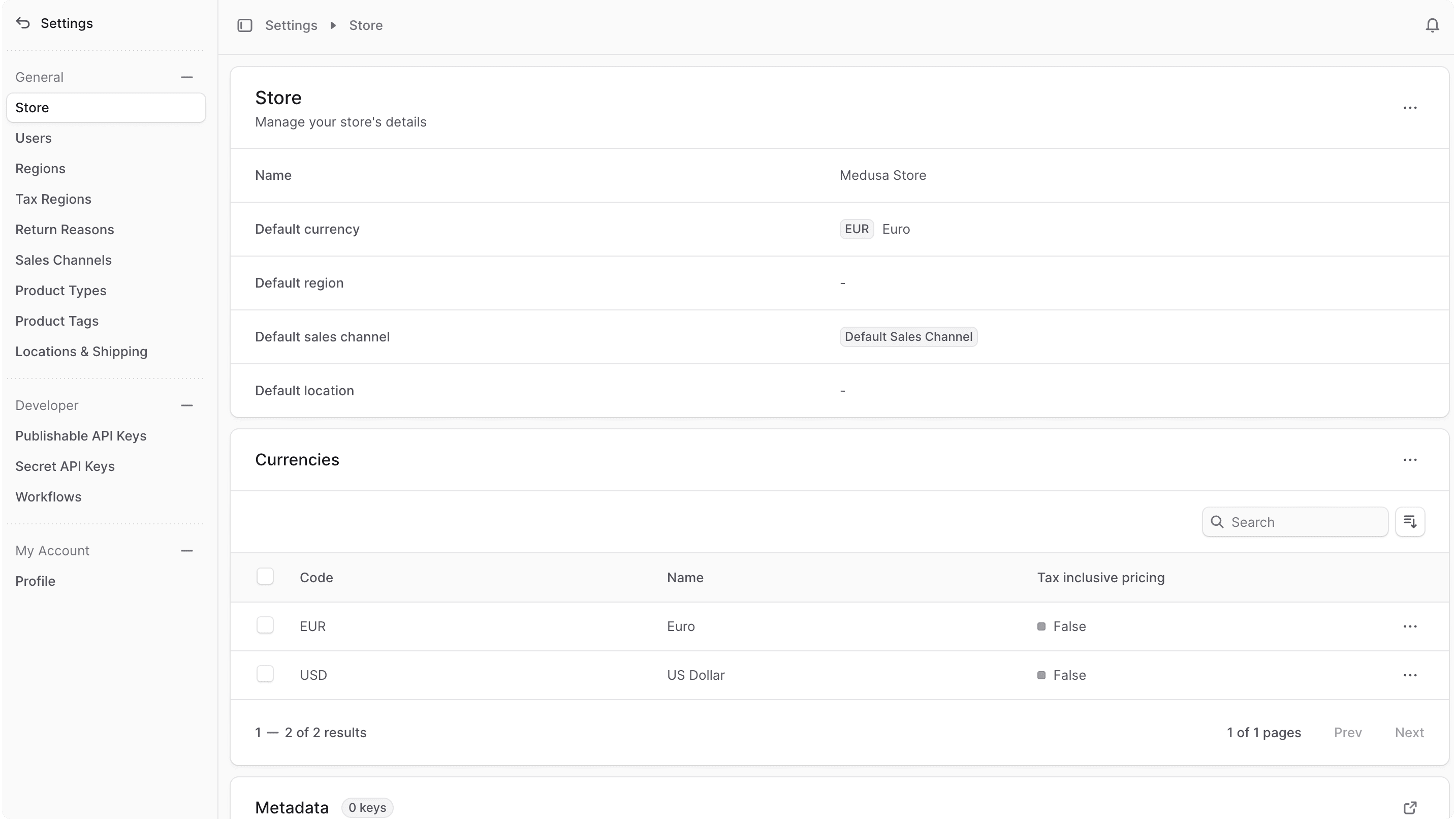
Your Commert store's settings are where you can manage your store's details, regions, sales channels, and more.
You can access your store's settings by clicking the "Settings" item at the bottom of the sidebar. This shows a settings panel with a different sidebar to manage your store's data.
You can also go back to the main sidebar by clicking the icon at the top of the sidebar.
 ***
## Manage Settings
* [Manage Store](/en/settings/store)
* [Manage Domains](/en/settings/domains)
* [Manage Users](/en/settings/users)
* [Manage Tax Regions](/en/settings/tax-regions)
* [Manage Return Reasons](/en/settings/return-reasons)
* [Manage Refund Reasons](/en/settings/refund-reasons)
* [Manage Sales Channels](/en/settings/sales-channels)
* [Manage Product Types](/en/settings/product-types)
* [Manage Product Tags](/en/settings/product-tags)
* [Manage Location & Shipping Settings](/en/settings/locations-and-shipping)
* [Manage Profile](/en/settings/profile)
***
## Manage Settings
* [Manage Store](/en/settings/store)
* [Manage Domains](/en/settings/domains)
* [Manage Users](/en/settings/users)
* [Manage Tax Regions](/en/settings/tax-regions)
* [Manage Return Reasons](/en/settings/return-reasons)
* [Manage Refund Reasons](/en/settings/refund-reasons)
* [Manage Sales Channels](/en/settings/sales-channels)
* [Manage Product Types](/en/settings/product-types)
* [Manage Product Tags](/en/settings/product-tags)
* [Manage Location & Shipping Settings](/en/settings/locations-and-shipping)
* [Manage Profile](/en/settings/profile)