

What’s a Refund Reason?
A refund reason is a predefined reason for refunding an order. It helps you categorize and track refunds in your store. When processing a refund, you can select a reason from the list of refund reasons you have set up.View Refund Reasons
To view refund reasons in your store, go to Settings → Refund Reasons. Here, you can see a list of all the refund reasons you have set up in your store. You can also search, filter, and sort the refund reasons to find the one you are looking for. Commert adds some default refund reasons to your store. You can use or delete them.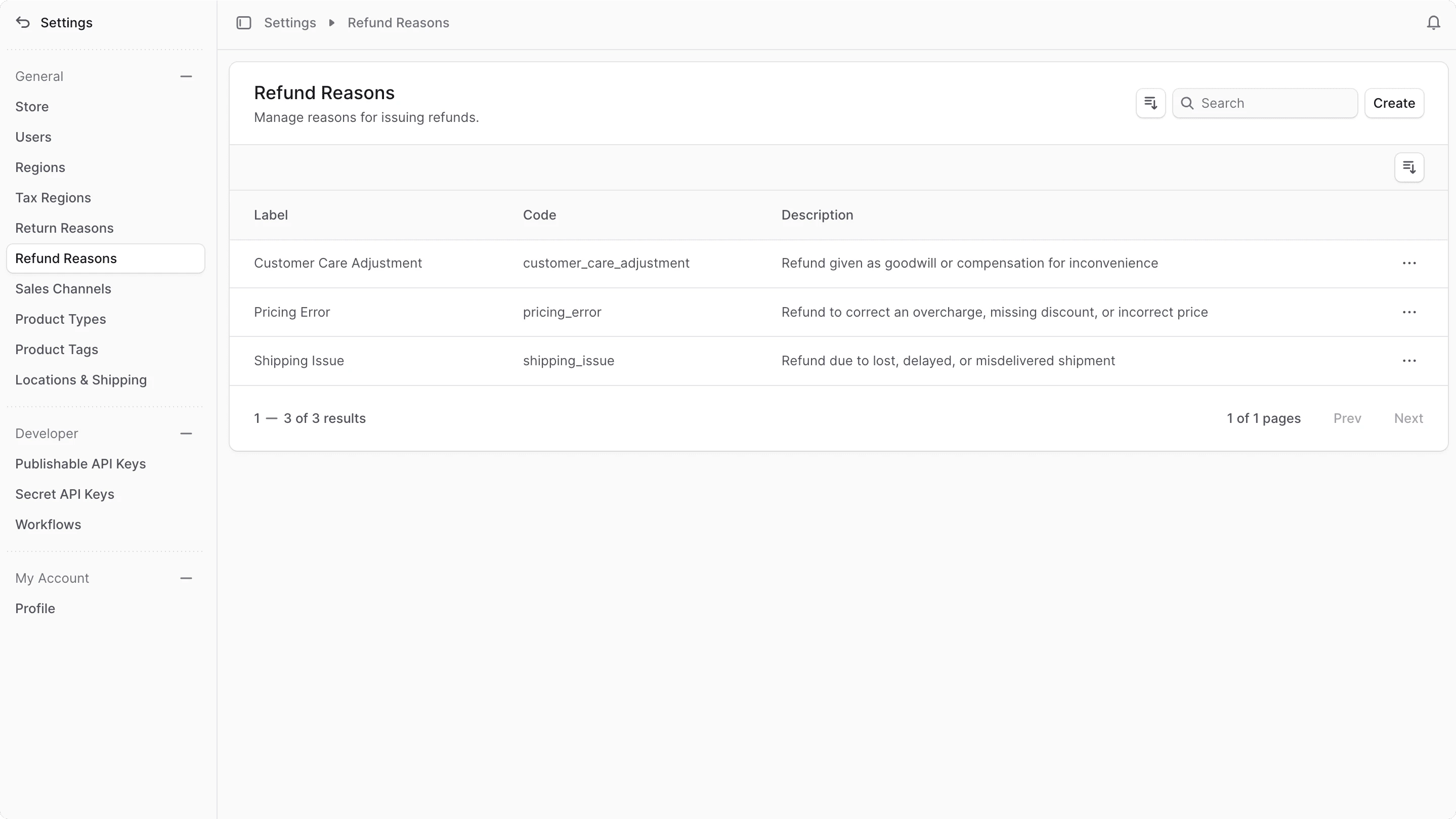
Create Refund Reason
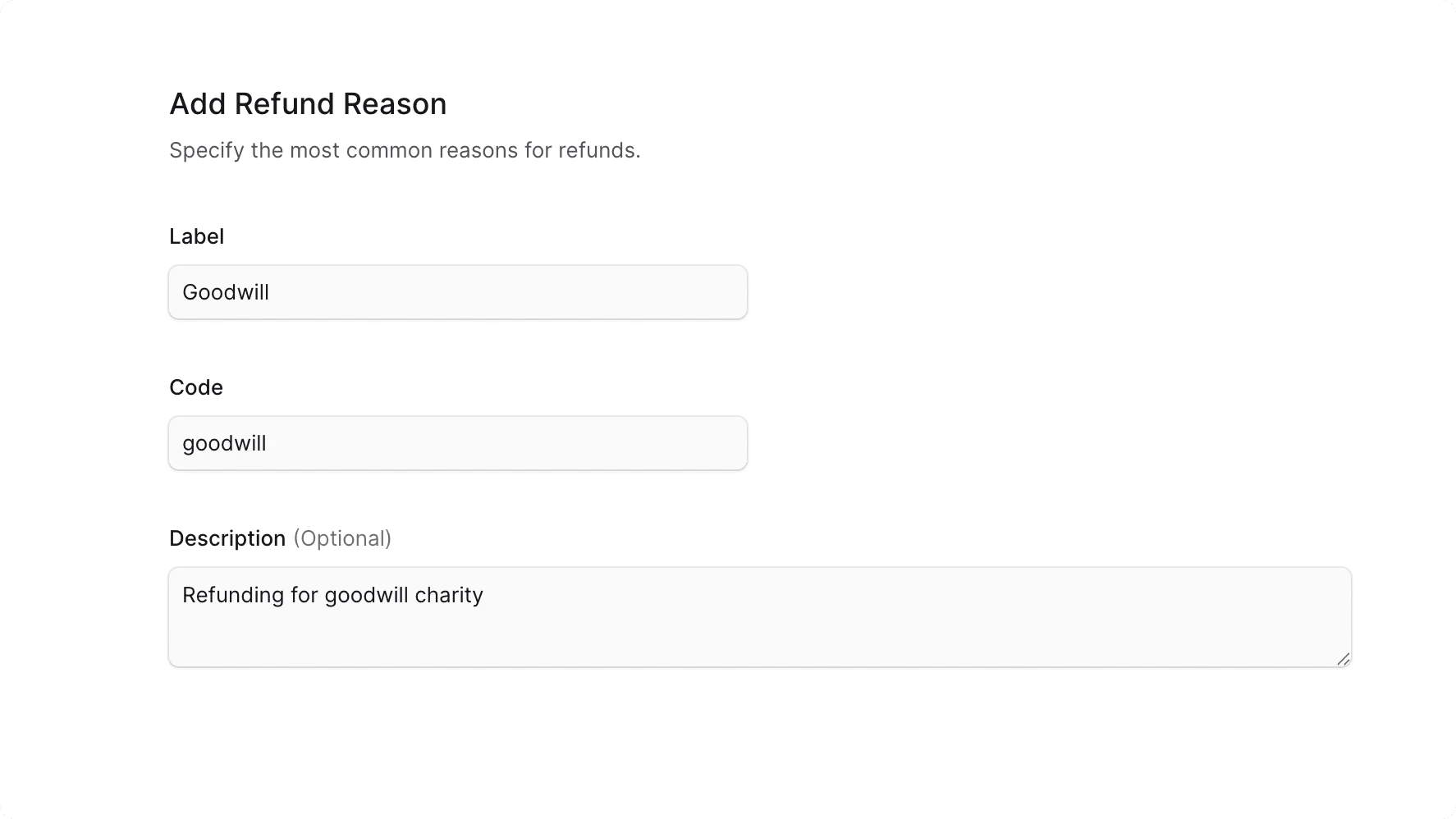
To create a refund reason:- Go to Settings → Refund Reasons.
- Click the Create button in the main section’s header.
- In the form that opens:
- Label: Enter what is shown to customers or admin users.
- Code: Enter a unique identifier for the reason that’s used internally. It’s recommended to use only lowercase letters and underscores (
_). For example,pricing_error. - Description: Enter an optional description for the refund reason.
- Once done, click the Save button.
Edit a Refund Reason
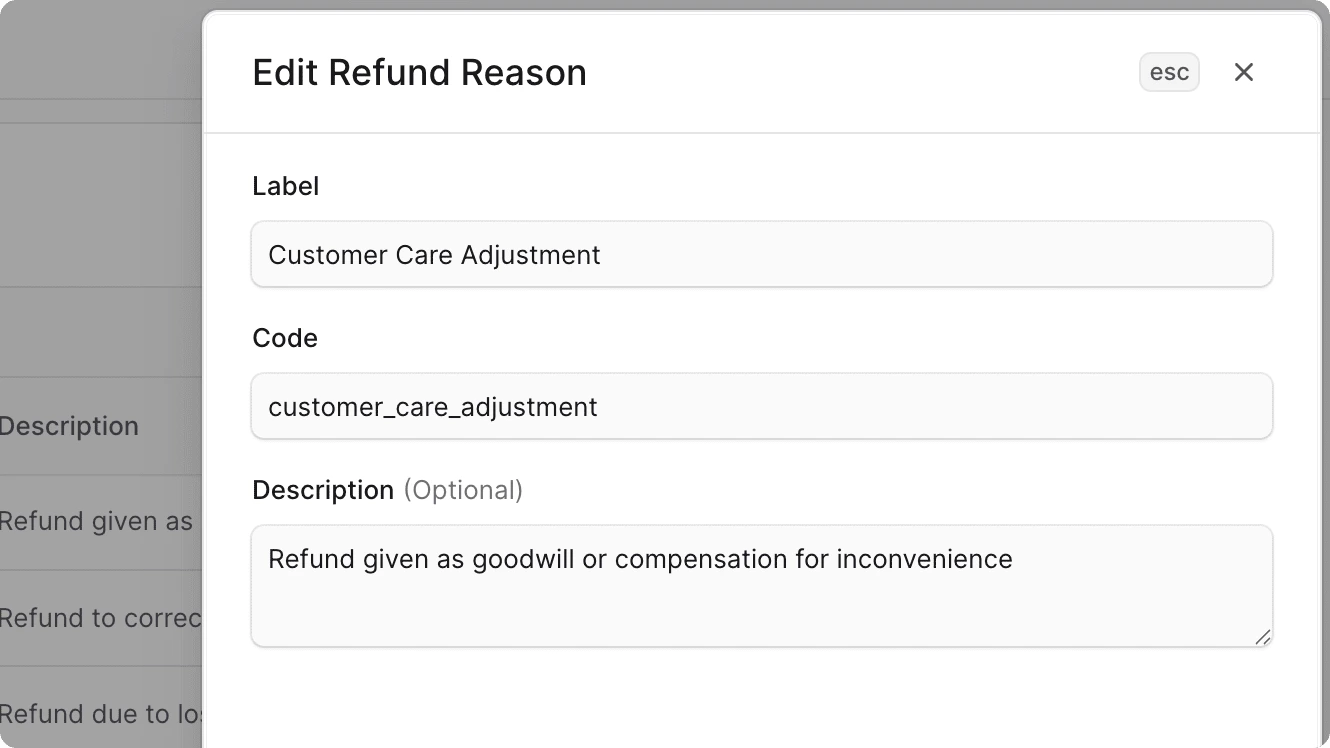
To edit a refund reason:- Go to Settings → Refund Reasons.
- Find the refund reason to edit and click the icon in its row.
- Choose Edit from the dropdown.
- In the side window that opens, you can edit the refund reason’s code, label, and description.
- Once you’re done, click the Save button.
Delete a Refund Reason
Deleting a refund reason is irreversible.
- Go to Settings → Refund Reasons.
- Find the refund reason to delete and click the icon in its row.
- Choose Delete from the dropdown.
- Confirm deleting the refund reason by clicking the Delete button in the pop-up.