

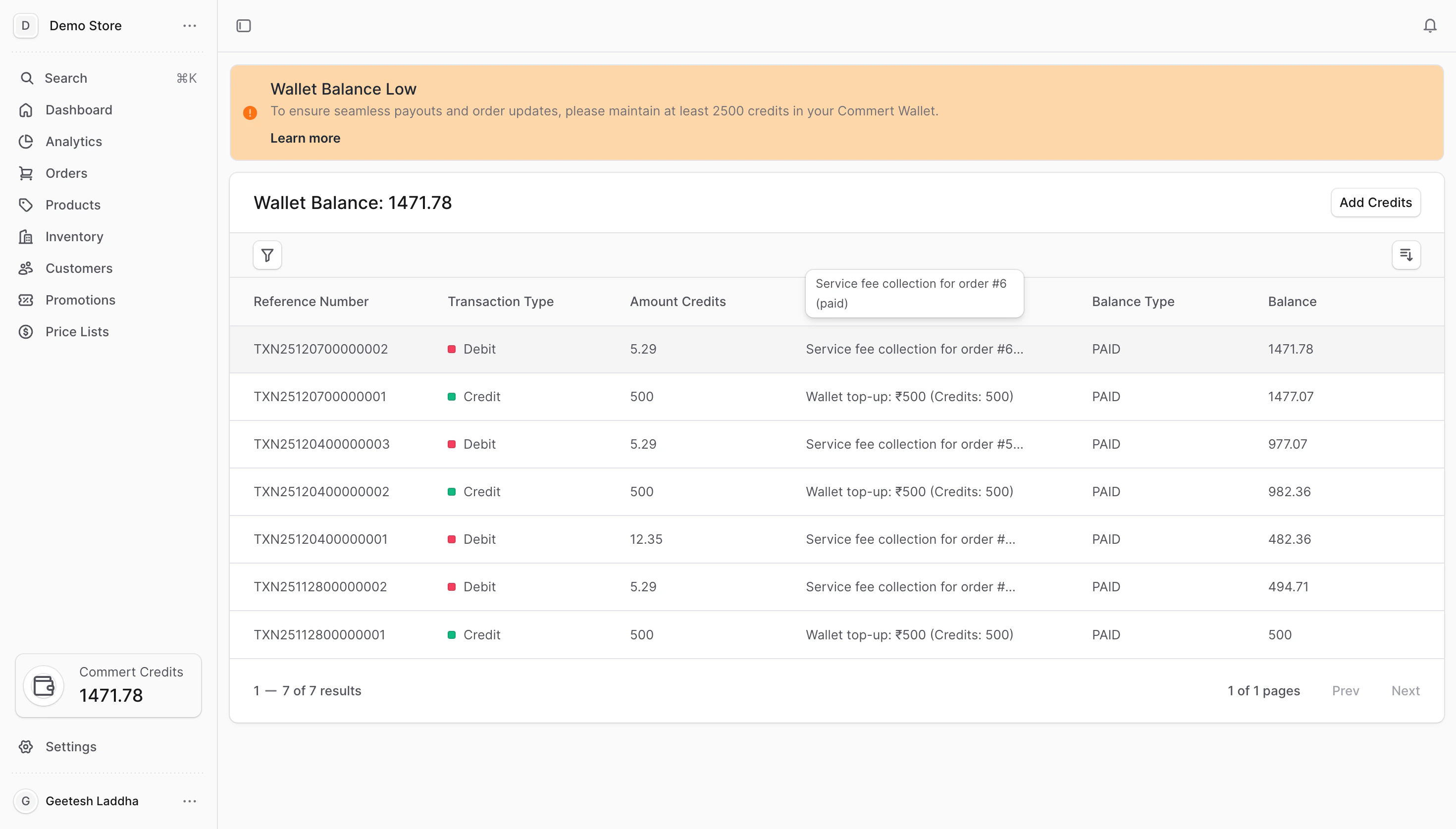
How credits work
- 1 credit = ₹1 (current setting). Credits are shown in the wallet card and on the Wallet page.
- Paid credits vs. promotional credits: Paid credits come from top-ups. Promotional credits come from promo codes or automatic grants and may have limits or expiry.
- Usage: Platform charges (like order fees) deduct from your wallet. Promotional credits are consumed first when allowed, then paid credits.
When charges happen
- Order fees: A percentage of each order amount (based on your subscription plan) is debited as soon as the order is placed. Example: 3% plan + ₹100 order → 3 credits deducted.
- Cancellations/returns: If the order is cancelled or returned, the same percentage is credited back to your wallet.
- Low balance: If there are not enough credits, the platform places your services on hold until you top-up. Pending charges clear automatically after you add funds.
What you can do in the Wallet
- Check balance: View paid and promotional balances and the total available credits.
- Add credits: Top-up via payment gateway or apply a promotional code.
- Track history: Review all wallet transactions with filters and sorting.
- Resolve holds: Clear service holds by adding credits; queued charges are paid off automatically.
Credits are prepaid and non-refundable. If your balance reaches zero, customer checkout and other features pause until you add credits.
Next steps
- Add Credits — choose payment gateway or promo code.
- View Transaction History — search, filter, and sort your wallet activity.
- Service Holds — learn what happens when the balance is low and how to clear holds.