

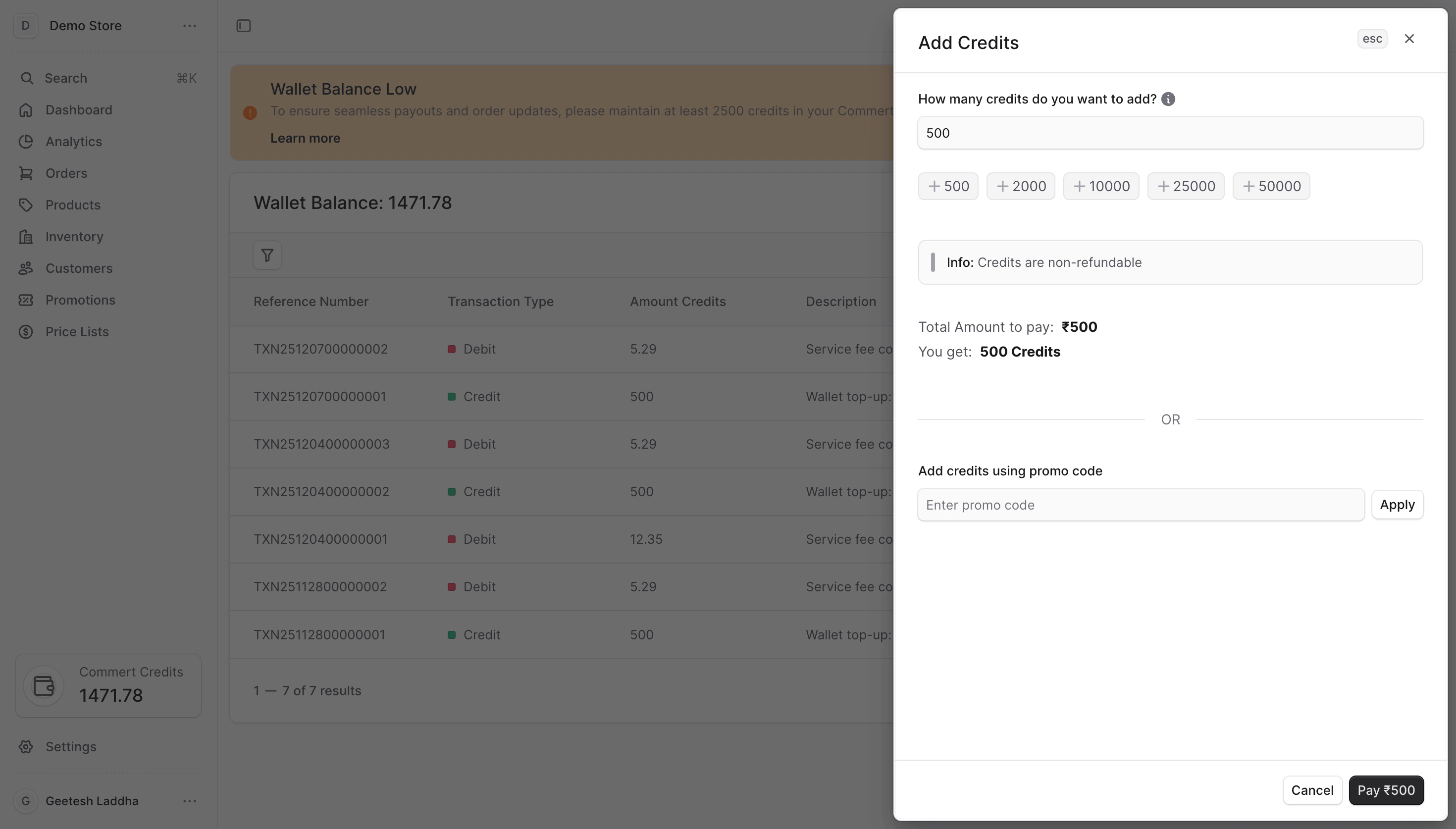
- Minimum top-up: 500 credits (mandatory).
- Recommended balance: 2,500 credits to avoid frequent pauses.
- Credits are non-refundable.
- Credits are currently set to 1 credit = ₹1.
Add credits flow
- Click Wallet Card in the sidebar to open the Wallet page.
- Select Add credits.
- Choose your method:
- Payment gateway — pay online to add paid credits.
- Promotional code — redeem a code to add promotional credits.
- Confirm and complete the flow; your wallet updates immediately after success.
Choose a method
- Payment gateway: Best for regular top-ups. You pick an amount (minimum 500 credits), pay securely, and credits post after payment success.
- Promotional code: You can get promotional codes from the commert team, you can get from some influencers or other marketing campaigns. Enter the code; the system validates eligibility, usage limits, and expiry before granting credits.