

Payment types
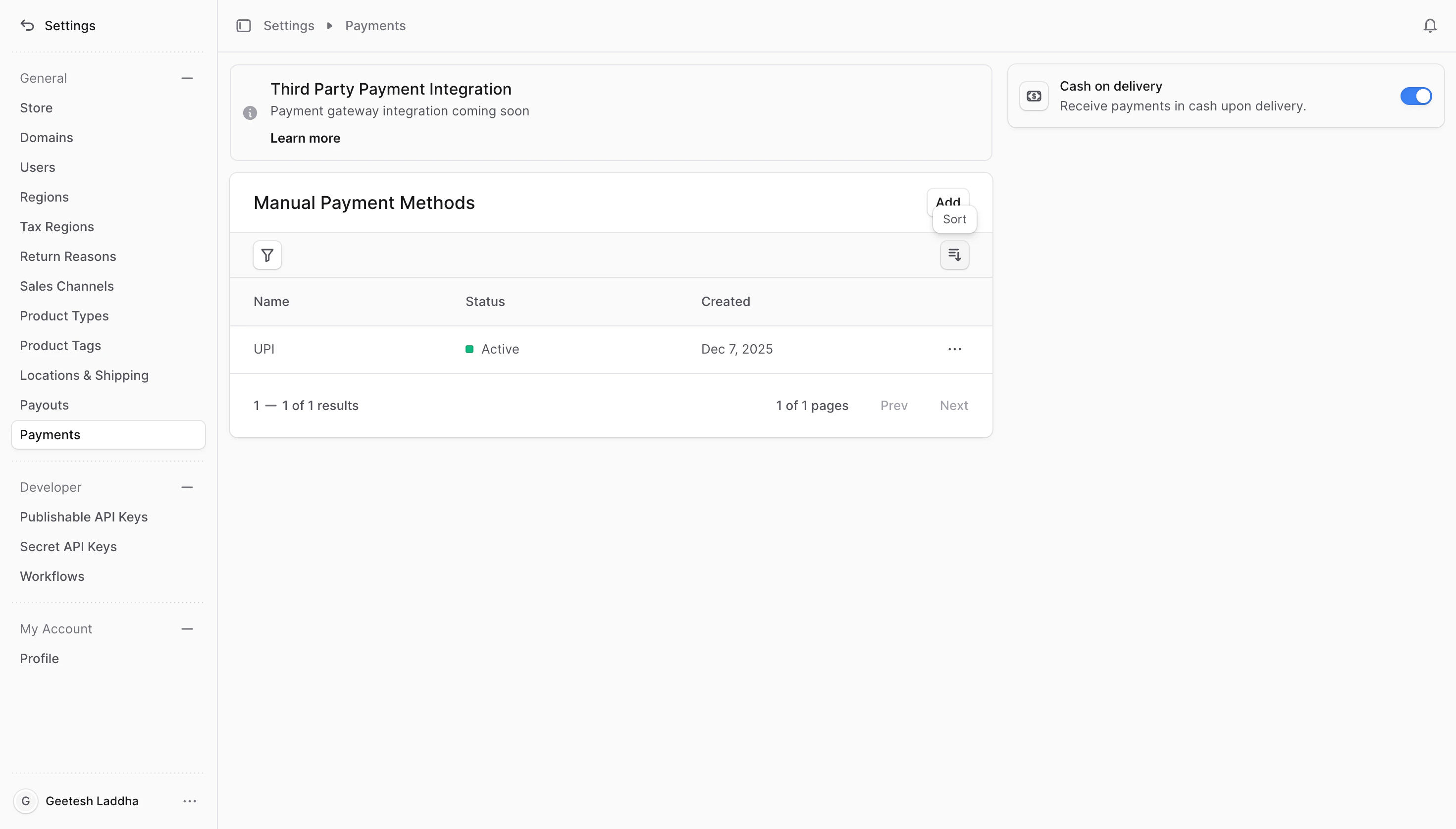
- Manual payment methods: Processed by you outside the platform (for example, Cash on Delivery, Bank Transfer). Customers select these during checkout and you handle collection offline.
- Payment gateway (online): Customers pay immediately at checkout. Razorpay support is coming soon to the platform.
Where to manage payments
- Go to Settings → Payments in Commert Admin.
- Use the Manual payment methods table to add, edit, or remove offline options.
- Use the Gateway section (coming soon) to enable Razorpay for online payments.
Cash on Delivery (COD) is available by default. You can toggle it on or off directly from the Payments page.
Next steps
- Manual Payment Method — add, edit, or delete offline options like COD or bank transfer.
- Payment Gateway — learn about the upcoming Razorpay checkout experience.