

What is a Shipping Option Type?
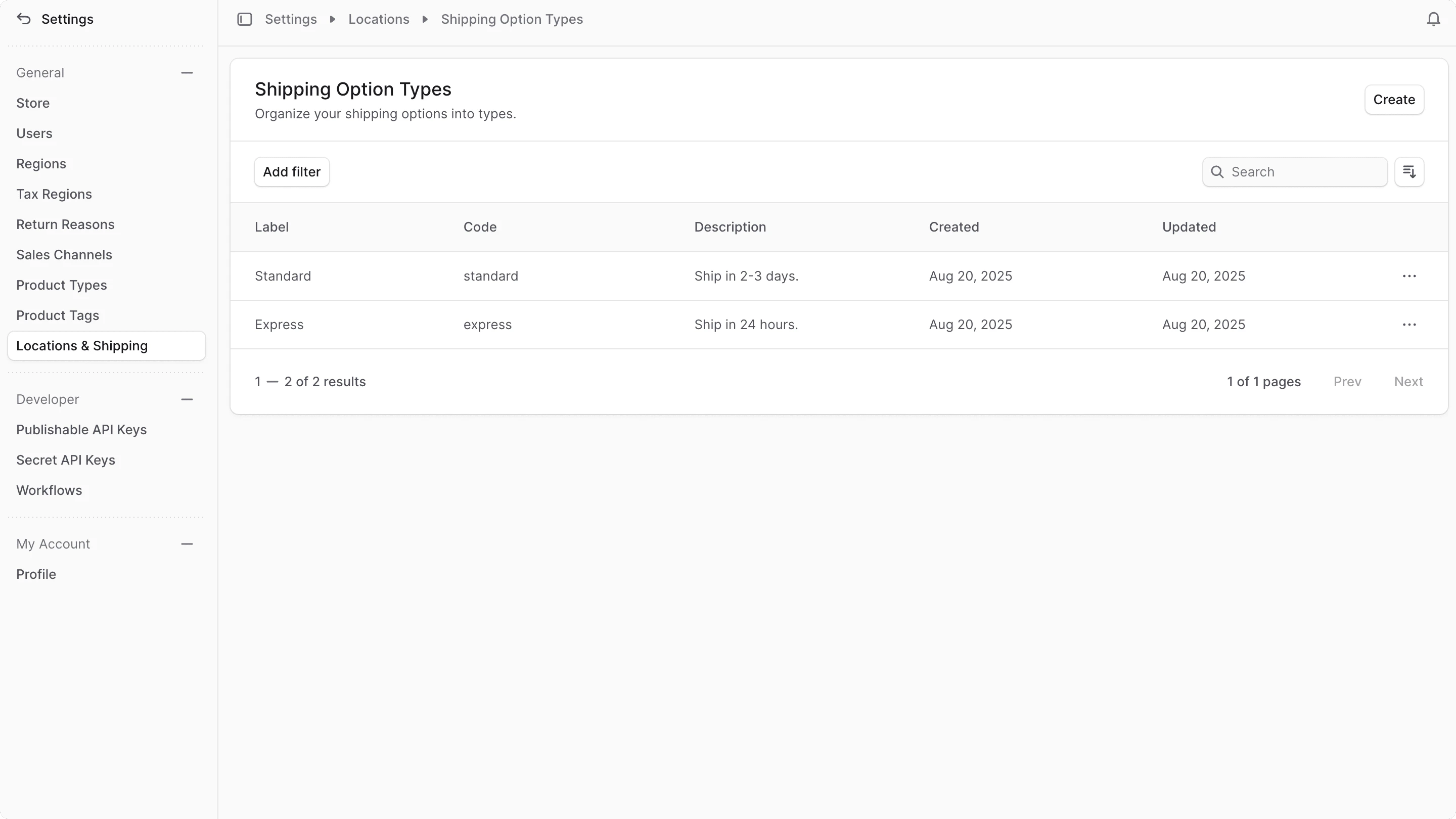
A shipping option type is a classification of shipping options that share similar characteristics. For example, you can have a shipping option type for “Standard Shipping” and another for “Express Shipping”. Shipping option types help you organize and manage your shipping options. They also allow you to set promotions for specific types of shipping options. By default, Medusa comes with two shipping option types: “Standard” and “Express”. You can manage these types or create new ones to better fit your business needs.View Shipping Option Types
To view shipping option types in your store:- Go to Settings → Location & Shipping.
- In the Shipping Configuration section, click on Shipping Option Types.
Create Shipping Option Type
To create a shipping option type:- Go to Settings → Location & Shipping.
- In the Shipping Configuration section, click on Shipping Option Types.
- Click the Create button at the top right.
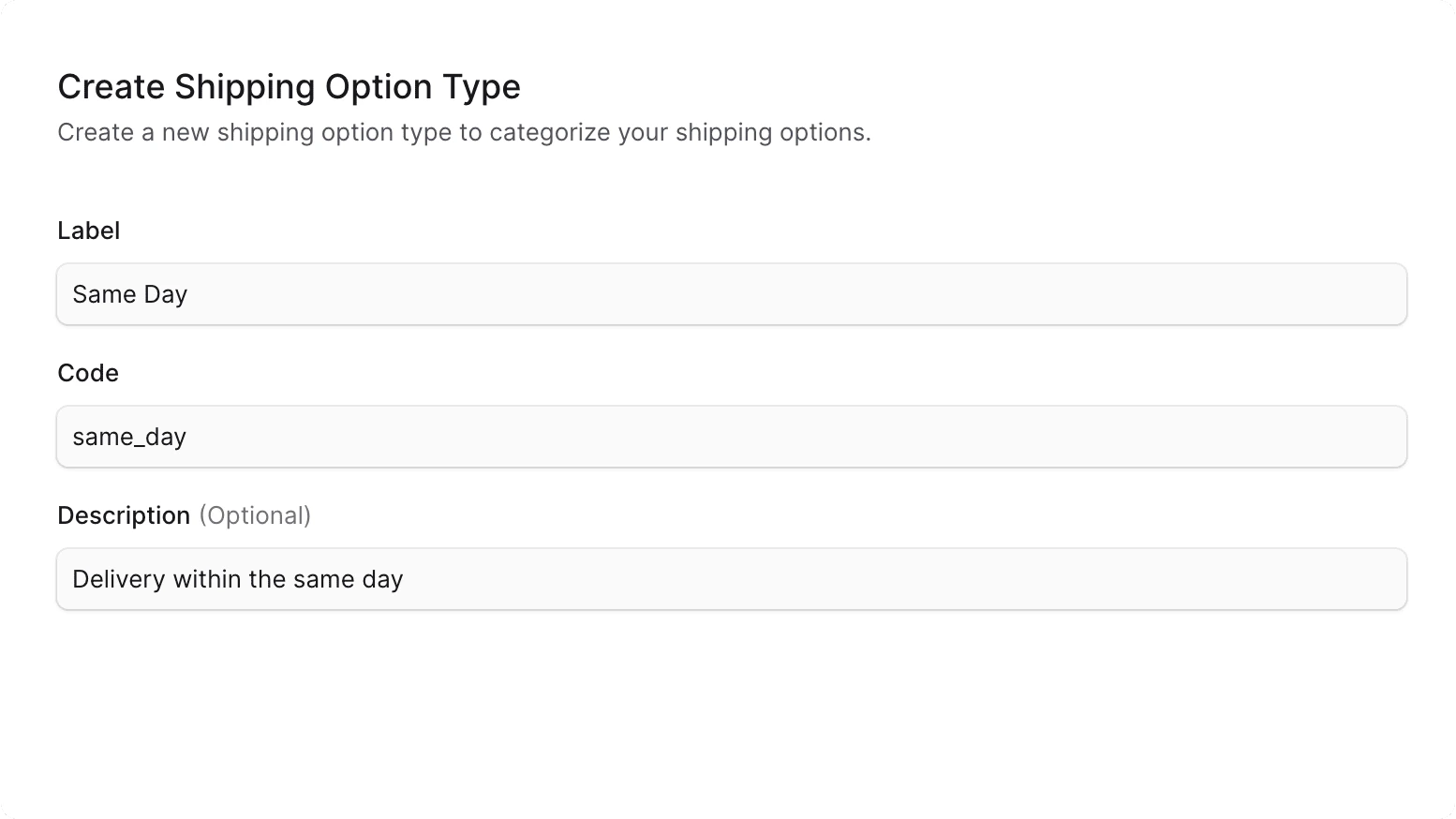
- In the form that opens, enter the following information:
- Label: The name of the shipping option type that can be displayed to customers. For example, “Same Day”.
- Code: A unique identifier for the shipping option type. For example,
same_day. - Description: A brief description of the shipping option type. This is optional but can be helpful to provide more context about the type. For example, “Delivery within the same day”.
- Once you’re done, click the Create button at the bottom right.
View Shipping Option Type Details
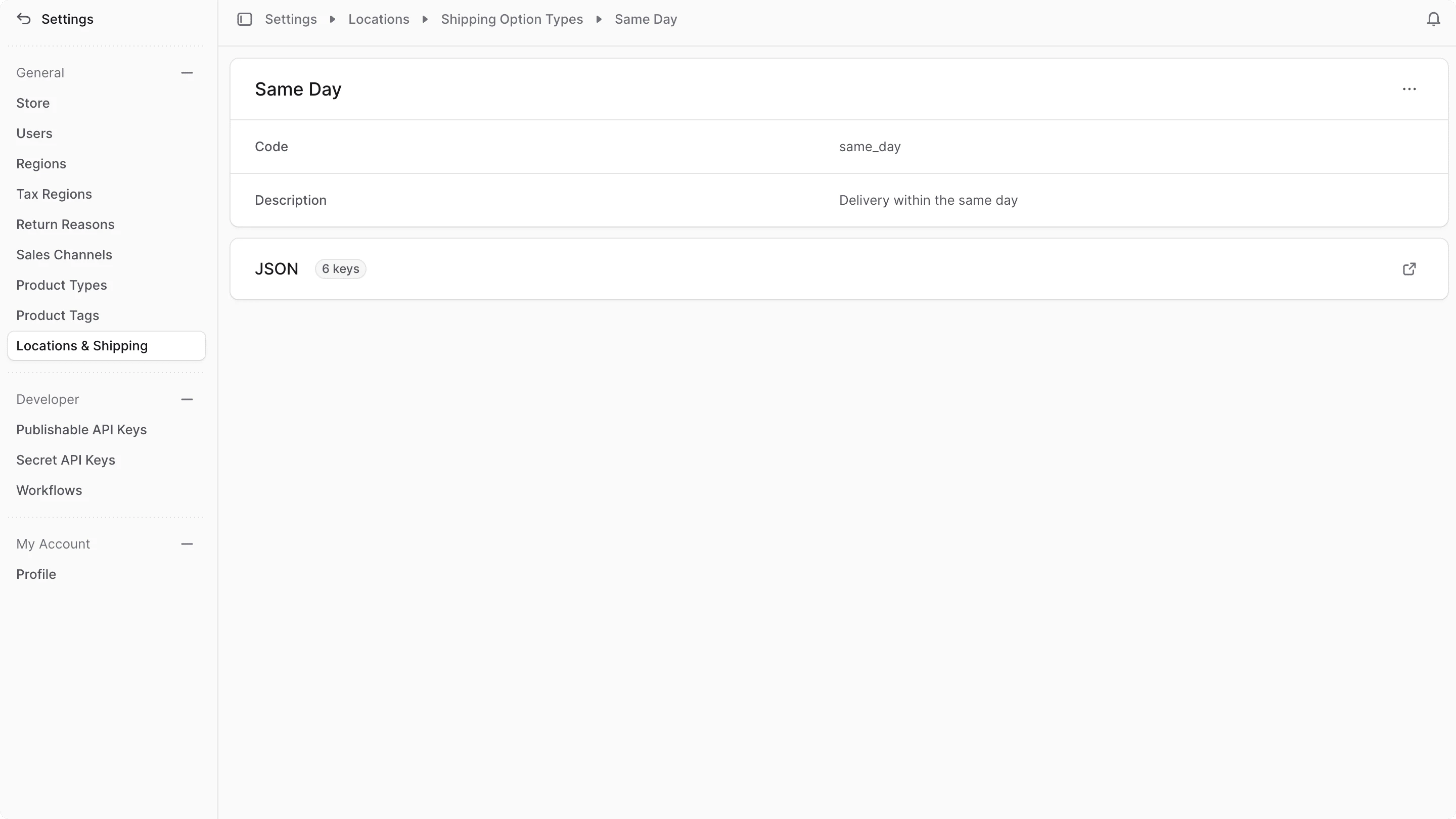
To view the details of a shipping option type:- Go to Settings → Shipping Option Types.
- Click on the shipping option type you want to view.
Edit Shipping Option Type Details
To edit the details of a shipping option type:- Go to the shipping option type’s details page.
- Click the button in the top right corner of the first section.
- Select “Edit” from the dropdown menu.
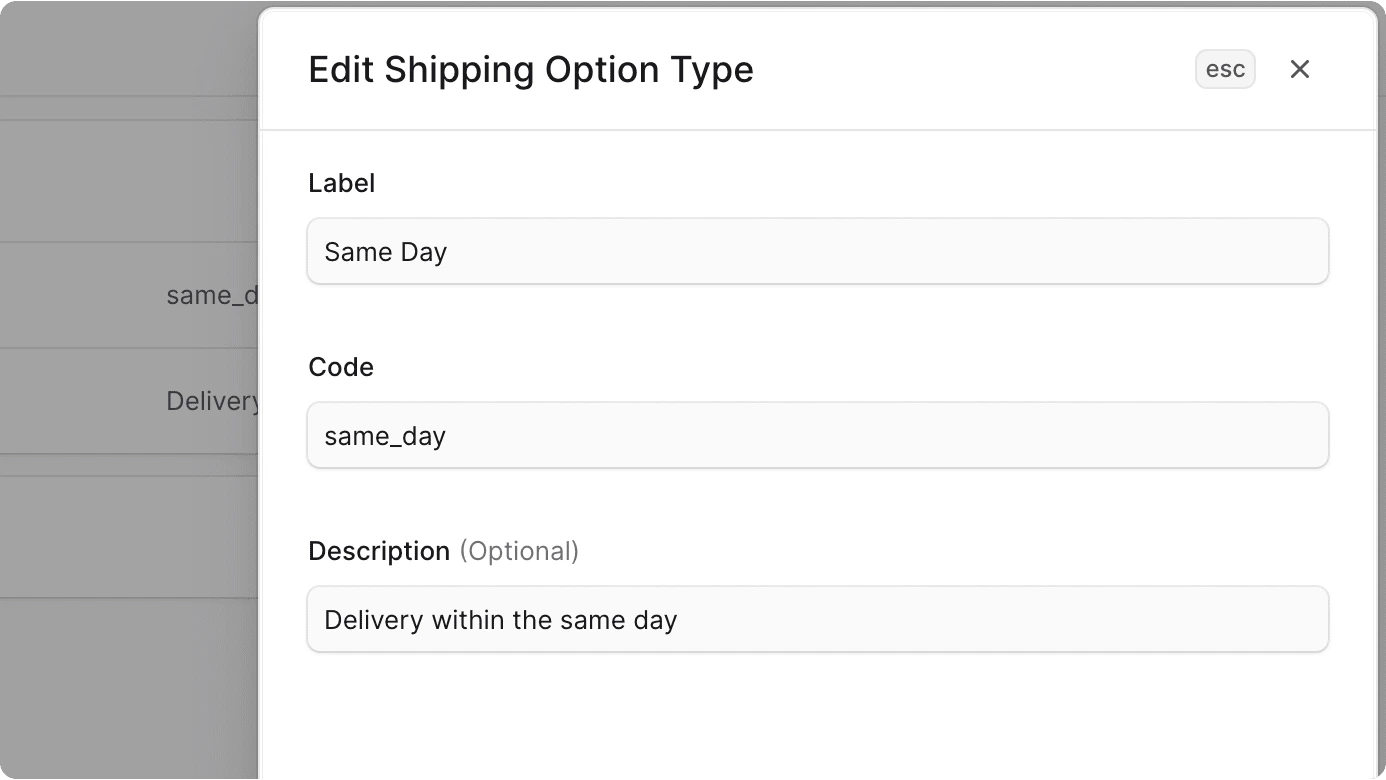
- In the side window that opens, you can edit the shipping option type’s label, code, and description.
- Once you’re done, click the Save button.
Delete Shipping Option Type
Deleting a shipping option type is irreversible.
- Go to the shipping option type’s details page.
- Click the button in the top right corner of the first section.
- Select “Delete” from the dropdown menu.
- Confirm the deletion of the shipping option type in the pop-up.